
Produce the timetable
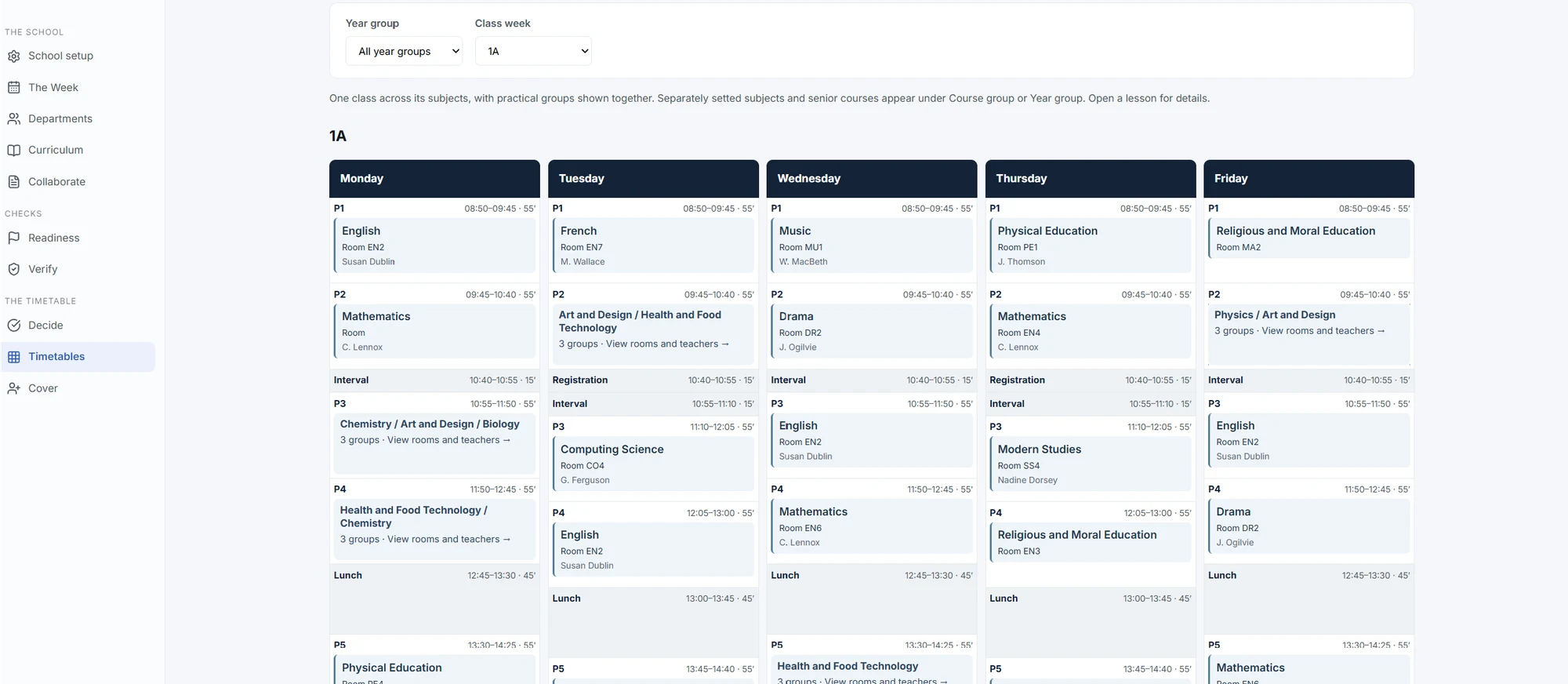
Build the whole-school timetable against the constraints Kimshi has already checked.
The timetable is built from the same school model used to establish feasibility.
 Open full size
 How Kimshi works
Select a data source to see where it comes from, which operations depend on it and the relevant view inside Kimshi.
Explore the school model
Information enters the school-side application, becomes part of one connected model and supports every planning decision that follows.
Select any data source to explore it.
Phase two · Build
Use the same checked school model to create the timetable, allocate teachers and return completed updates.
Build the whole-school timetable against the constraints Kimshi has already checked.
The timetable is built from the same school model used to establish feasibility.
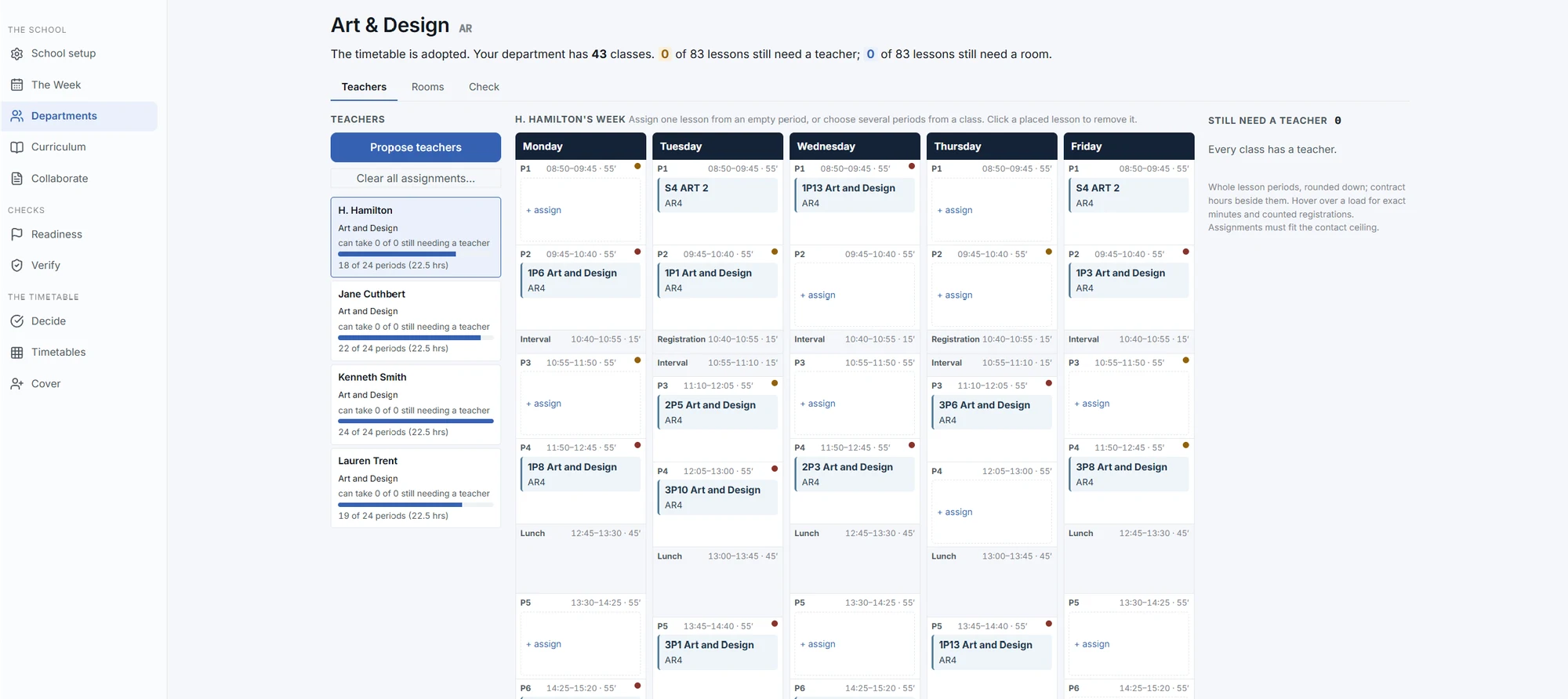
Open full size Allocate suitable teachers to classes automatically, then adjust assignments by hand to reflect preference.
 Open full size
 Automatic proposals remain under school control.
Export the information needed to update the school’s authoritative system.
Phase three · Run
Move from annual planning into everyday operation without rebuilding the school model somewhere else.
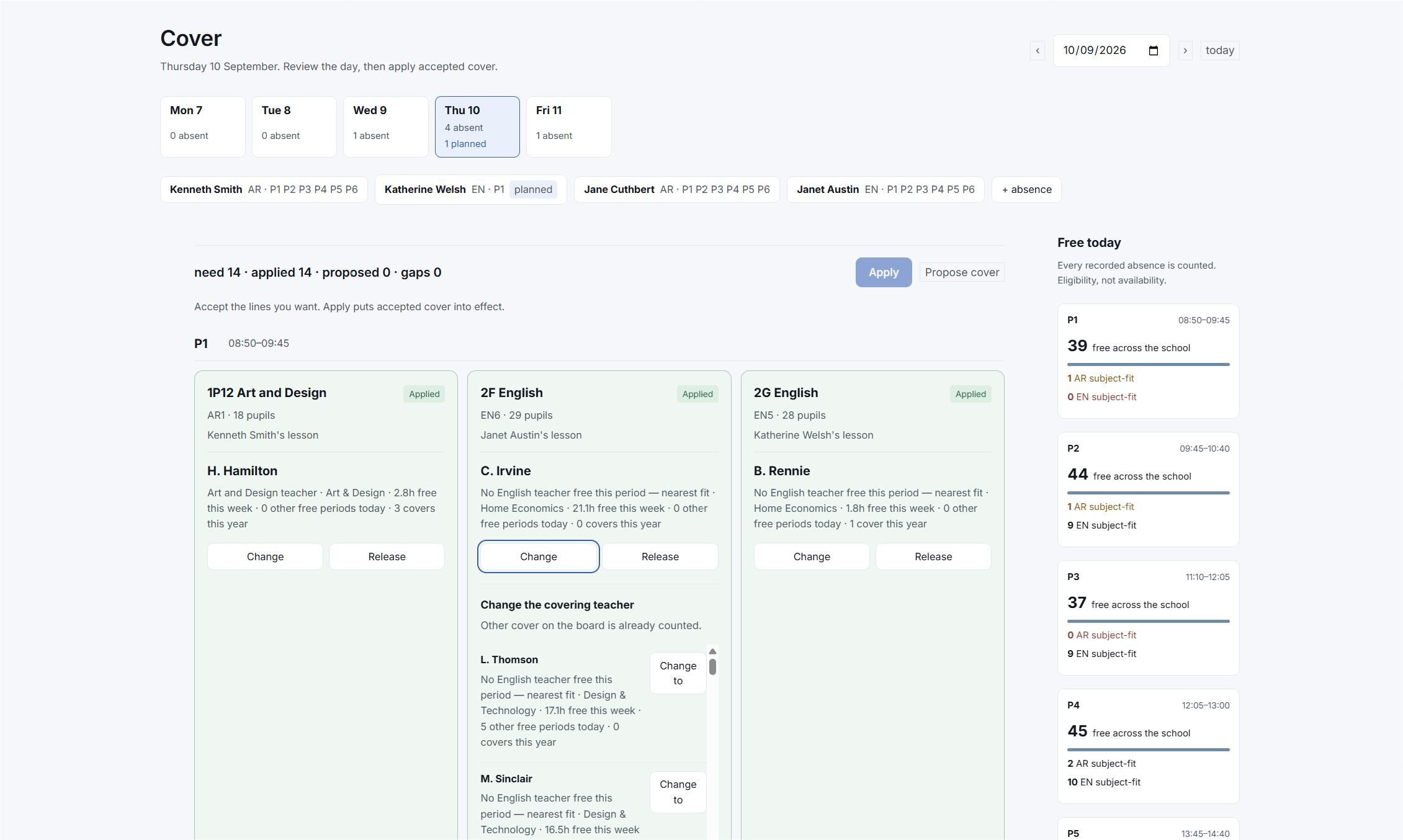
When a member of staff is absent, Kimshi identifies the strongest compliant options available and shows why each one has been proposed.
 Open full size
 Bring your school model
Walk through the process using your curriculum structure, staffing model and working week.